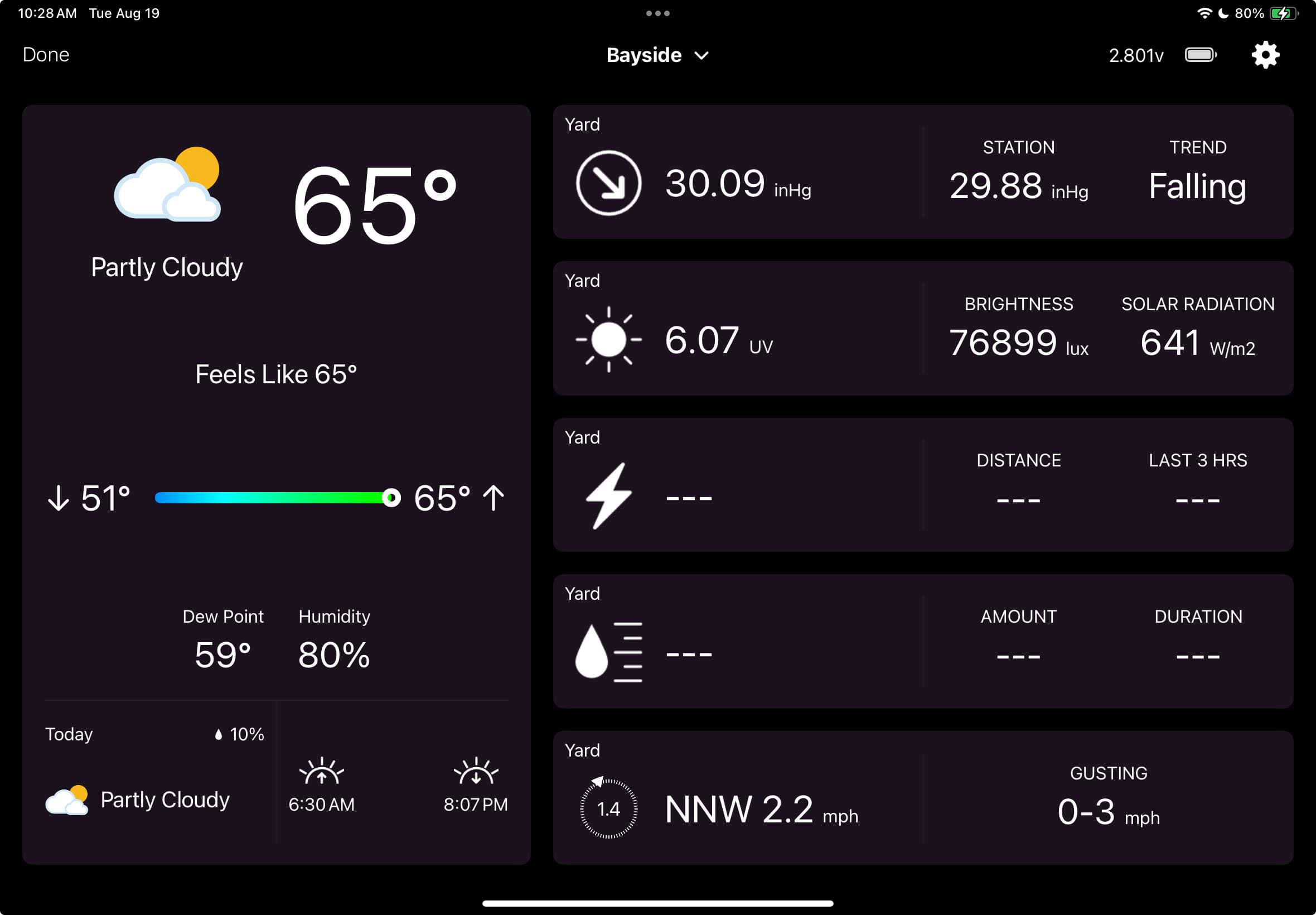
I recently bought a used 3rd gen iPad Air to use as the display for my Tempest.
I like the Full Screen Mode > Standard choice for displaying the data, in particular because the temperature is larger than on the Weather screen. Also that I can see the data for what I most care about.
I noticed that it’s not refreshing very often or even possibly only refreshing when I go to the screen and tap the Weather icon. Then I have to go back to settings and select the Standard choice again.
Is there some setting I haven’t noticed that can get it to refresh more often since it’s a plugged in device? Or, should it be refreshing but it’s not?
Interesting that data page is not refreshing for hours on my end as well but show’s up on weather forecast page on Android app as well. I’ve been seeing this for quite sometime and still not able to resolve the issue.
I’ve been looking into this. I have a debug build that I can send via Testflight if anyone is interested in helping track down the cause. Just send me a PM.
I can’t reproduce the issue, no matter how long I run it on my iPad it keeps updating.
I sent some new screenshots to Alex this morning. The test build you created for me seemed to work as I got from Friday afternoon until this morning where the Standard screen was refreshing. However, the temp was a few degrees off and it was that temp around 1 1/2 hrs earlier. I also noticed that even thought the sun had come up but that screen showed no values for UV and brightness. On the weather screen I tapped the Tempest icon in the top right and that screen also had no values for UV and brightness.
Normally if I went to the Home Screen and them back to the Standard screen it would be refreshed. It did refresh the temperature, but not the UV and brightness. Still showed no values.
Now the strange part. I unplugged the ipad from power to take some screenshots of the 2 screens that had no values and then there they were. Coincidence??
Probably a coincidence. Running off power or battery shouldn’t make any difference.
I’ll take a look at the missing values, it should be showing those unless there was a light sensor issue or something. Not sure about the temperature, I’ll have to look closer at that.
I have been seeing problems on my iPad too. Here is a screenshot. These two fields keep showing dashes. I have to force close the app and reopen it to get the data to refresh.