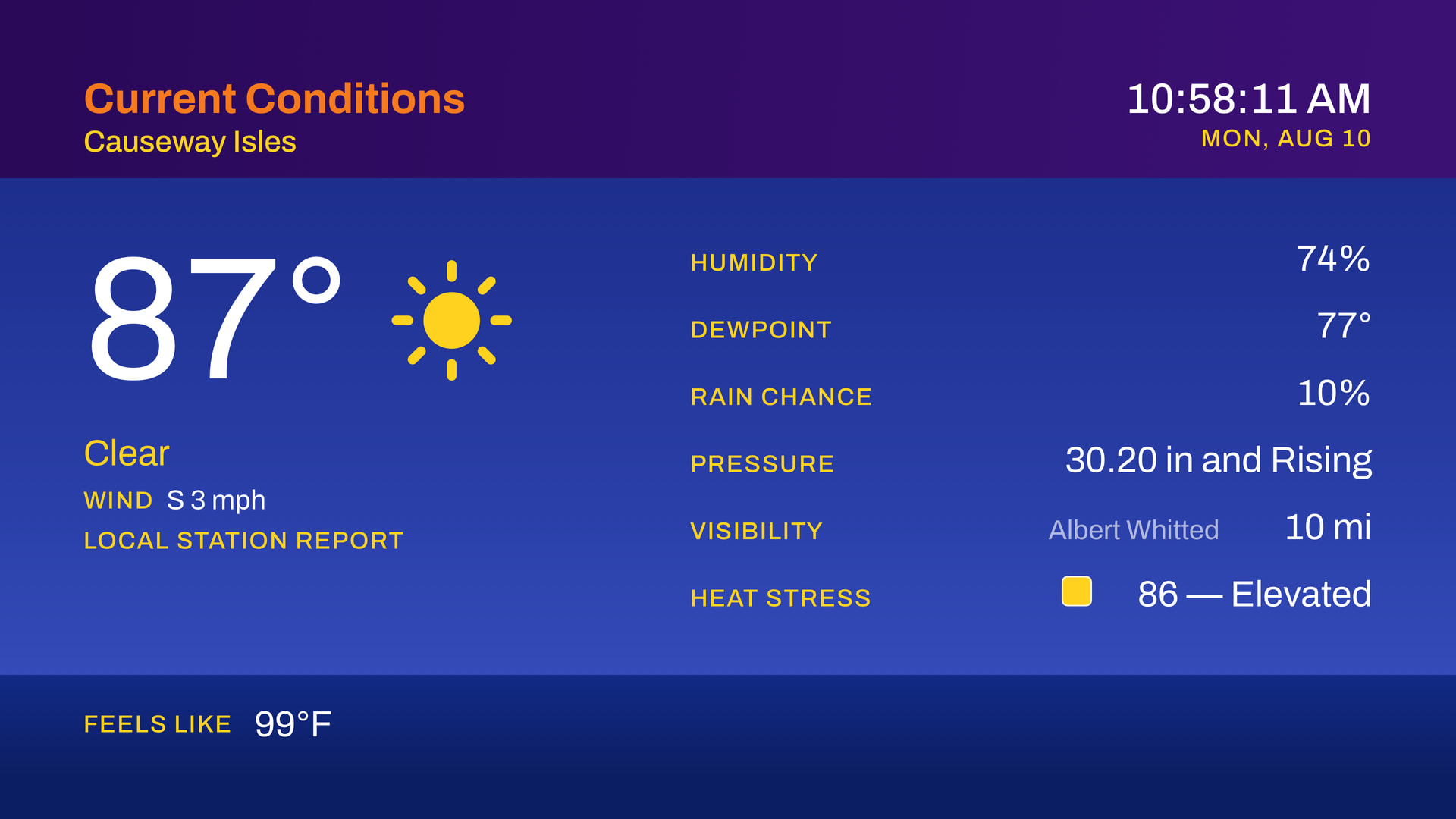
Hi all. I’ve been building a tvOS app called CompositeSky that turns your Tempest station into a rotating weather display on your Apple TV. Current conditions, forecast, hour-by-hour, and radar, cycling on a loop with music (your Apple library or arbitrary stream), in the spirit of the weather channel but without the retro feel.
The difference from a generic weather app is that the observations are yours. It pulls from your tempest account, so what’s on the screen is what your station is reading right now, not a regional airport reading from twelve miles away and in beta we are reading real-time as well from your Tempest hub if it’s on the same network as your Apple TV.
Whether pairing to your Tempest account works cleanly on your setup
How the display holds up over long runs (this is an app people leave on a TV, so I care about multi-hour and multi-day behavior)
Stations in unusual configurations: multiple devices on one account, AIR/SKY rather than Tempest, non-US locations (though you’ll currently be missing some features since we currently rely on US NOAA/NWS for some items which aren’t available from Tempest/WeatherFlow (Radar, tides, etc…), metric units (coming soon as well)
Anything that looks wrong against what the official app or your console is showing at the same moment
v1.1 is released with full Tempest support on the App Store. Feel free to leave feedback here or via https://sky.penpoint.dev if there’s anything you want to see added/changed or if you have any questions!
Also included in v1.1 is an optional Tempest diagnostics screen which listens to local hub multicast stream and can be used to help troubleshoot issues. The Apple TV must be on the same VLAN/Network as your tempest hub.
The big one is running outside the US. Set a Canadian location and you get:
Weather alerts from Environment and Climate Change Canada. Tornado warnings, severe thunderstorm warnings, and any red-level warning take the screen once each, with the same crawl and tiered interrupt as US warnings.
Radar from the MSC national composite, including places the US mosaic never reached, such as Newfoundland.
Tides from the Canadian Hydrographic Service on the coasts, with the gauge named on screen.
Record highs and lows from ECCC’s long-term climate extremes. Most stations carry a century of them, some considerably more.
The full app in French, following the Apple TV’s language setting. Alerts are read in ECCC’s own French wording by a French voice. Pressure reads in kPa when the region is set to Canada.
For US locations, the close-up radar now comes from the single Doppler nearest you at four times the detail of the blended national picture, with a badge in the corner naming which one you are looking at. It falls back to the national mosaic when nothing is close enough. Clear-air returns are there if you want the sea breeze fronts and storm outflows, off by default so quiet days stay clean.
Radar draws the land from Apple Maps, so roads, coastlines and town names sit under the echoes.
Press Select to hold the broadcast on whatever segment is up, press again to let the loop carry on. Left and Right still step through segments, and an alert still interrupts.
Settings → Segments turns any segment out of the loop.
Airport codes resolve in the location field. Type YYZ, LAX or ORD and it shows the airport’s full name before you save.
Regional radar is its own segment with its own title, rather than an unannounced second half of Local Radar.