My Tempest station stopped reporting TEMP and HUMIDITY recently. But it still is reporting pressure.
I have traced it down to the E-THP-01 sensor module. There are TWO sensors on this board that communicate via i2c. One is a pressure sensor that is still working. The other is the TEMP and HUMIDITY sensor that stopped working. The sensor data is reported as NULL in the JSON output data.
My first attempt at replacing the sensor failed because the board was pretty corroded. One of the pads lifted and the traces are SO TINY the only way to work on this is under a microscope. While I am OK at doing this, once a pad is lifted your options are very limited. And because it is microscopic I am not THAT skilled to be able to use tiny wires to repair this.
But if I had a GOOD BOARD I can definitely surface mount solder a NEW sensor to the board.
My question is if anyone has an old station that is broken that would be willing to donate the sensor? My guess this sensor is going bad on MANY stations out there.
Please let me know. I probably have to buy a new station, but I always like a challenge fixing the unfixable!
I have one old “expired” ST device. . .but the Temperature sensor is buried in a layer on the top PCB (PrintedCircuitBoard) underneath the “topcap” dome and not easily accessible. The ST device now just serves as a “desk-top prop.”
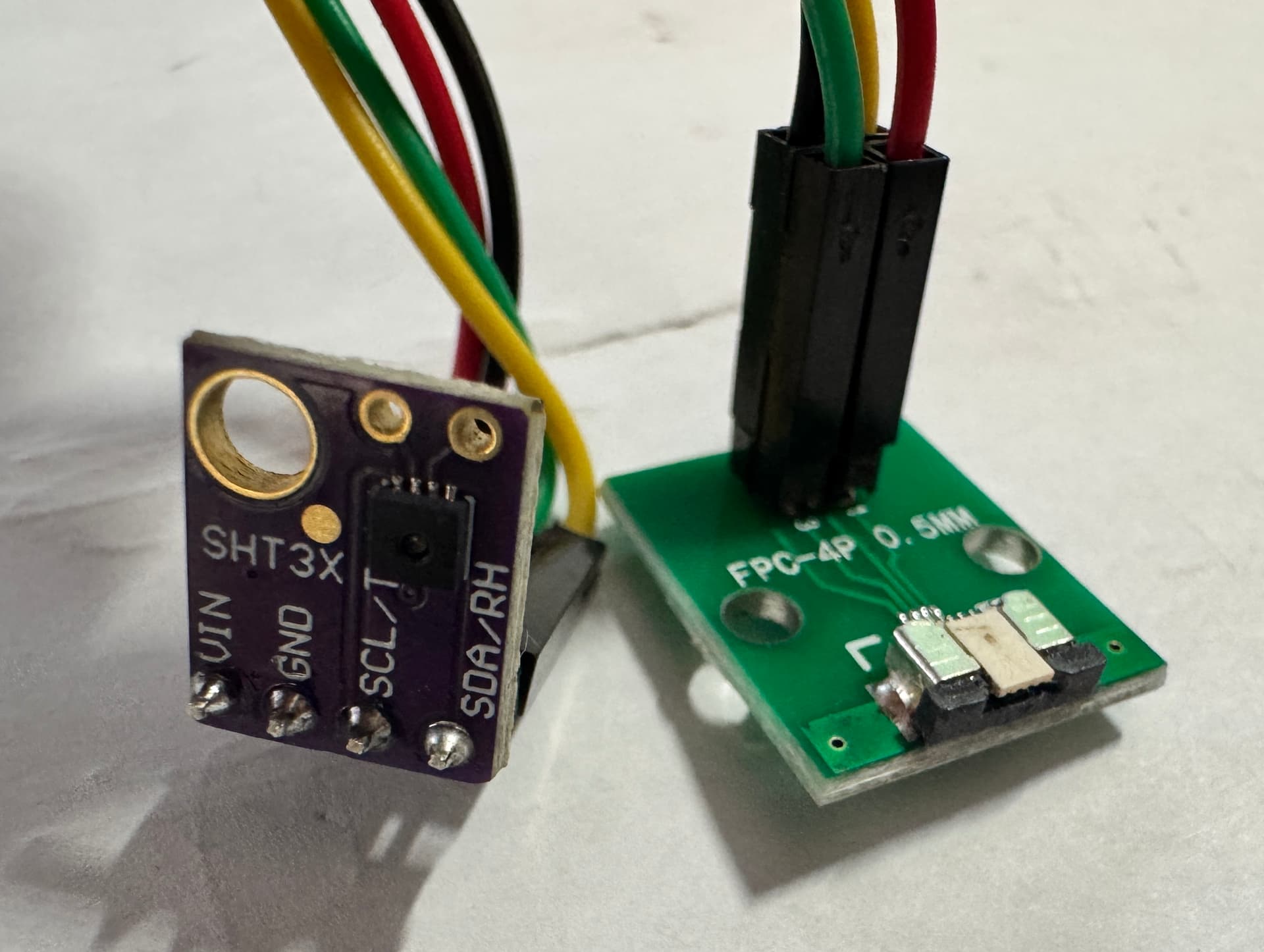
Well I would never want to take away your desktop prop!!! I decided to try a different approach. I am getting a breakout board for the 4 conductor flat ribbon cable. I then purchased a barametric pressure sensor and the humidity temp sensor both in a breakout board. (all are super cheap and exact part replacement so i2c protocol and address is not different) That way I can EASILY connect it up and see if it works. If it actually works I am going to ATTEMPT to weatherproof those components and put it all back together! Wish me luck! This is much easier than trying to SOLDER at microscopic size!! I am also going to buy a new unit to put back in service. This really is just one of those situations where I want to CONQUER the issue!! If I can weatherproof I could use it as a second unit. Just not sure how long it will last!
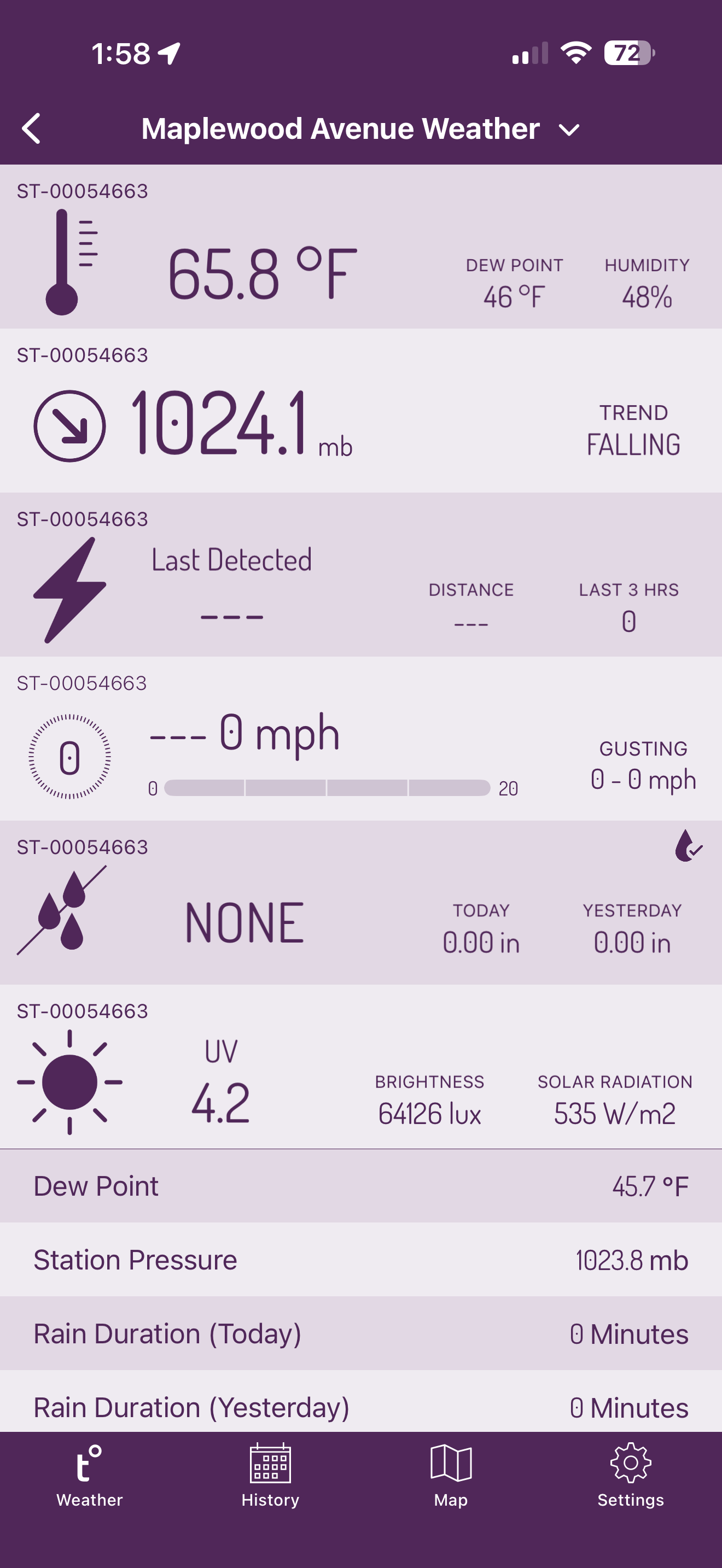
This worked!! I now have TEMP and HUMIDITY BACK!!! I also ordered the pressure sensor breakout I will add to the i2c bus. Once I have everything working I am going to weather proof the sensors so they can be back in the original position in the unit.
I actually reused the ribbon cable connector from the old sensor and soldered it to this breakout board I got from Amazon.
A request….always always always followup with the ‘precise’ part number(s) and purchase URL(s) when you have successes like this. All the pieces you had to buy to figure it out and how you hooked them up.
Way cool. Figuring out the internals so folks can fend for themselves is really so helpful !
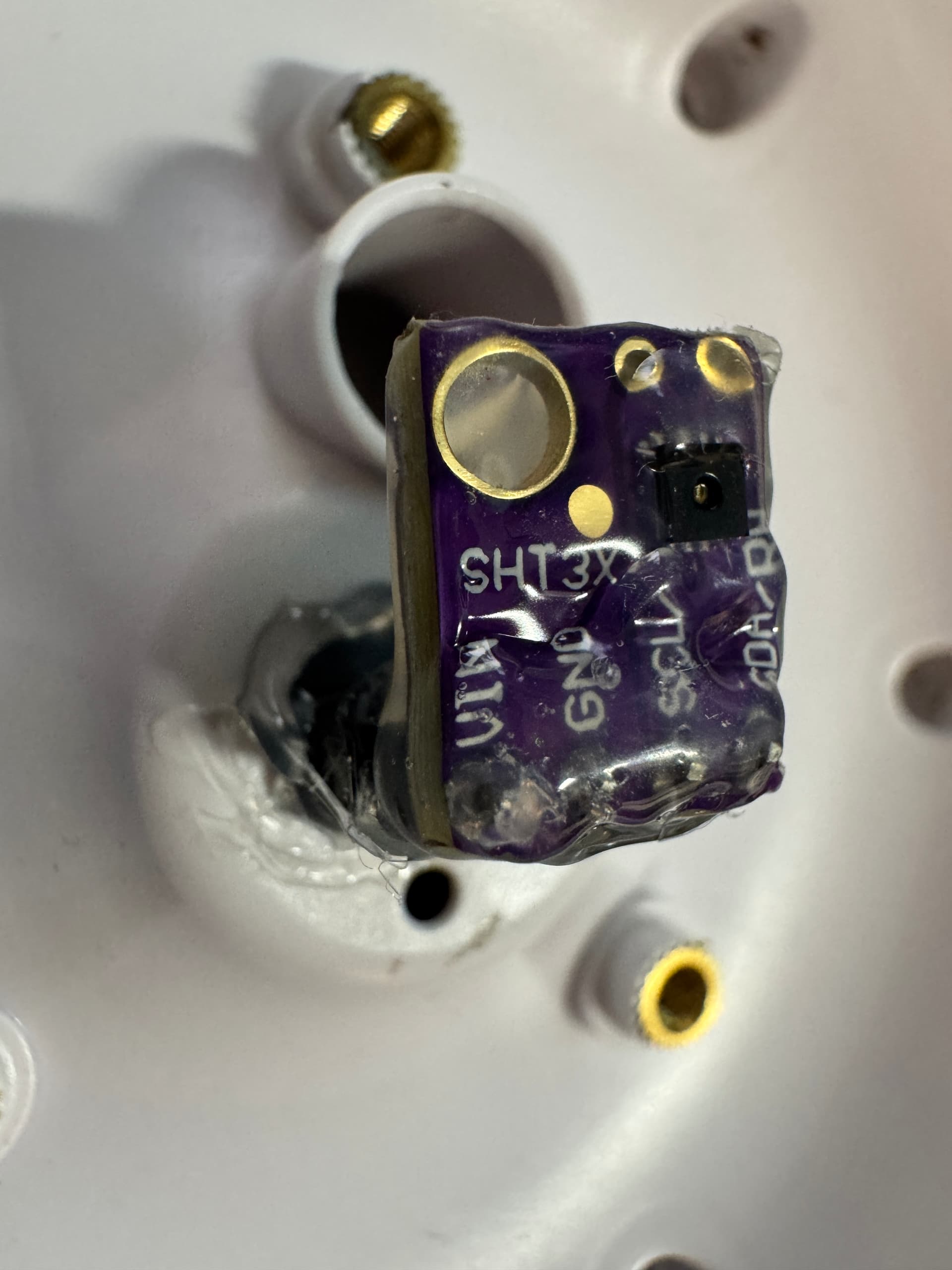
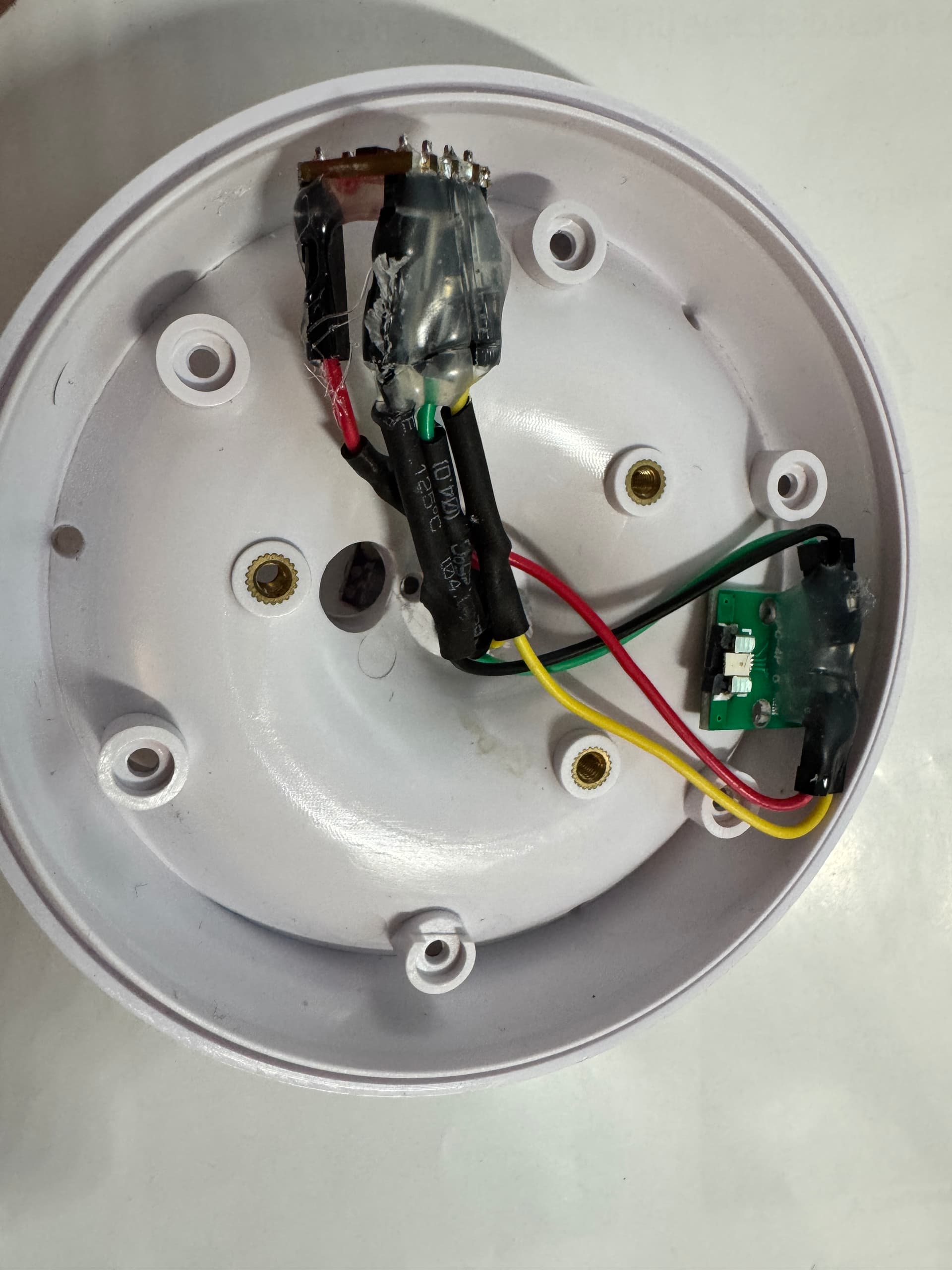
Fully reassembled and outside working! All sensors working correctly. It was difficult packing the sensors into the unit but I did it. I used a glue gun to weatherproof the sensor. Have to be extremely careful to not cover the hole in the center of the temp humidity sensor. I pushed that sensor through the hole where the original sensor was. The pressure sensor I left in the above enclosure. So far so good!!!
Thank you for posting this fix and getting my weather station back to 100% or it was i get the T/H back up and running then suddenly the Pressure sensor goes down damn it, just where in the unit is this pressure sensor located please?, and did you get the pressure sensor working that you posted the link to please? Not sure why it would suddenly fail when i just get the T/H back up and running seams odd!!!
When I was done everything DID work. But I did not do a very good job weatherproofing it. What is difficult is that you have this very small ribbon cable and you have to use a breakout board for it. Then you have to add two more boards. And you have to fit them all in a very small space. And you have to weatherproof them and all of the wiring. Mine worked for a while and then stopped working. I wish they would just sell the replacement sensor. If they did the fix would be trivial. Do not TRY to fix the original sensor. The components are WAY TOO SMALL and the board is very fragile. And you have to use the EXACT PARTS because if you dont it will not work. Those are I2C devices and I am sure all of the code is designed to work with those I2C addresses and protocols. Bottom line is that it IS possible to fix. This sensor is almost at the VERY TOP of the unit. So you have to take most of it apart. I think I wanted to PROVE I can make it work again. I already bought a new unit in anticipation of this one failing. Anyway.. Hope I answered your questions.
Thanks for replying p,geremia, yes they are very tiny components, can i please ask where did you wire the pressure sensor into was it into the same ribbon cable as T/H i know I2C in some cases can be wired like that i just want to make sure where i am wiring it too please?… I am going to use conformal coating and heat shrink tube to make it some what water proof, making sure i do not cover the sensor holes etc.
Pin 1: VCC RED
Pin 4: GND BLACK
Pin 3: SCL GREEN
Pin 2: SDA YELLOW
Once you have that you then just connect BOTH sensors to those wires. You do not need any pull-up resistors. Both sensors just connect to the same wires.
thank you p.geremia… the T/H breakout board works good and well OK call me absolute crazy i replaced the surface mount pressure sensor!!! found one that works!!!.. so at least thats one less breakout board to worry about now touch wood nothing else fails!!!
 I decided to try a different approach. I am getting a breakout board for the 4 conductor flat ribbon cable. I then purchased a barametric pressure sensor and the humidity temp sensor both in a breakout board. (all are super cheap and exact part replacement so i2c protocol and address is not different) That way I can EASILY connect it up and see if it works. If it actually works I am going to ATTEMPT to weatherproof those components and put it all back together! Wish me luck! This is much easier than trying to SOLDER at microscopic size!! I am also going to buy a new unit to put back in service. This really is just one of those situations where I want to CONQUER the issue!! If I can weatherproof I could use it as a second unit. Just not sure how long it will last!